A fully agentic DAW
Not a song generator. Your coding agent produces in a real session with your plugins, measures every render, and leaves the verdict to your ears.
- Any coding agent
- Your own plugins
- Every render measured
- Undo by author
scroll to play · or ask Co-Tono
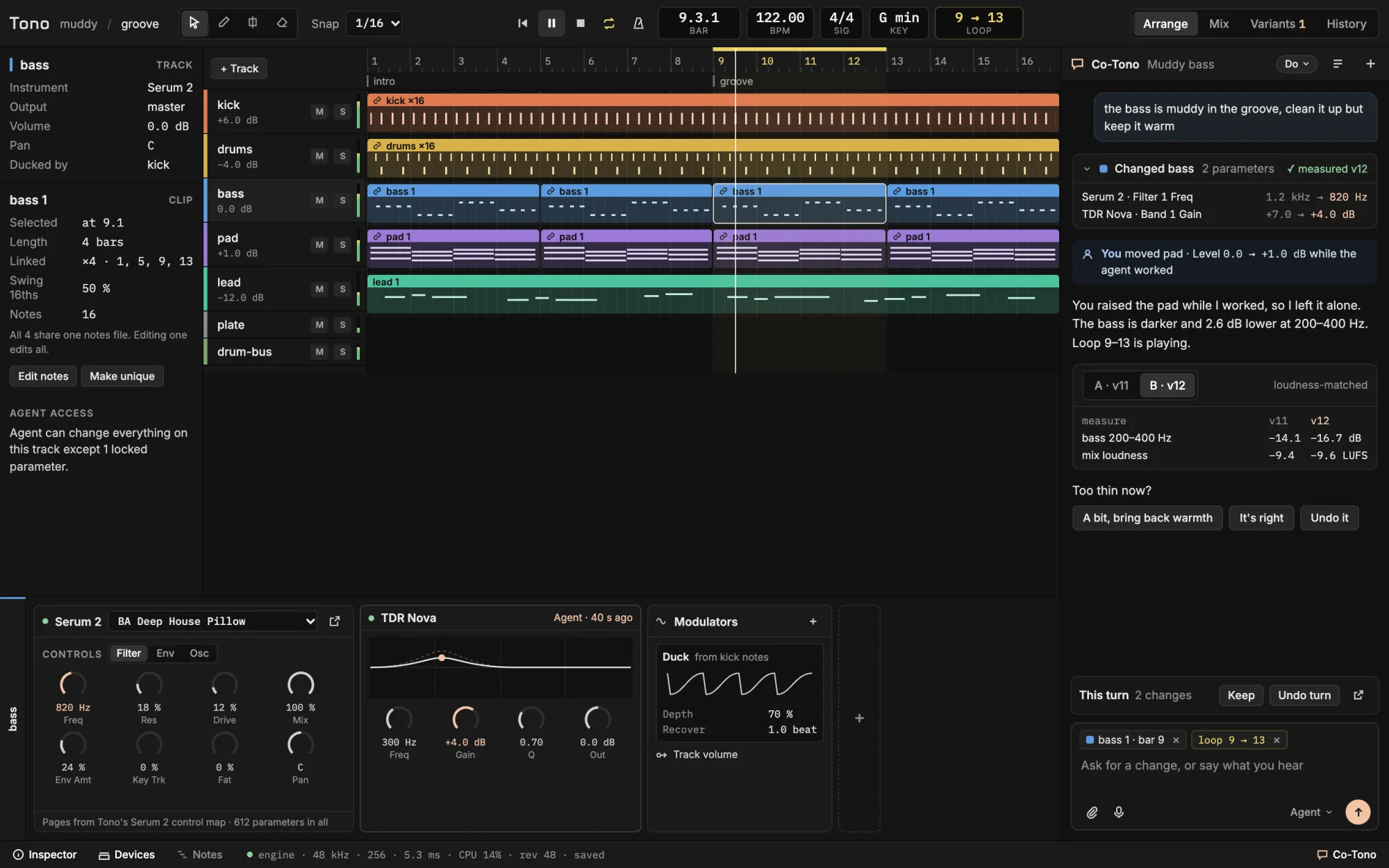
Ask. It happens in the session.
Ask, and watch the agent build it in a real session.
A real session, not a generated file.
Generators hand you a file; Tono hands your agent a studio.
- One finished audio file
- Want a change? Generate again
- Sounds you can't open or tweak
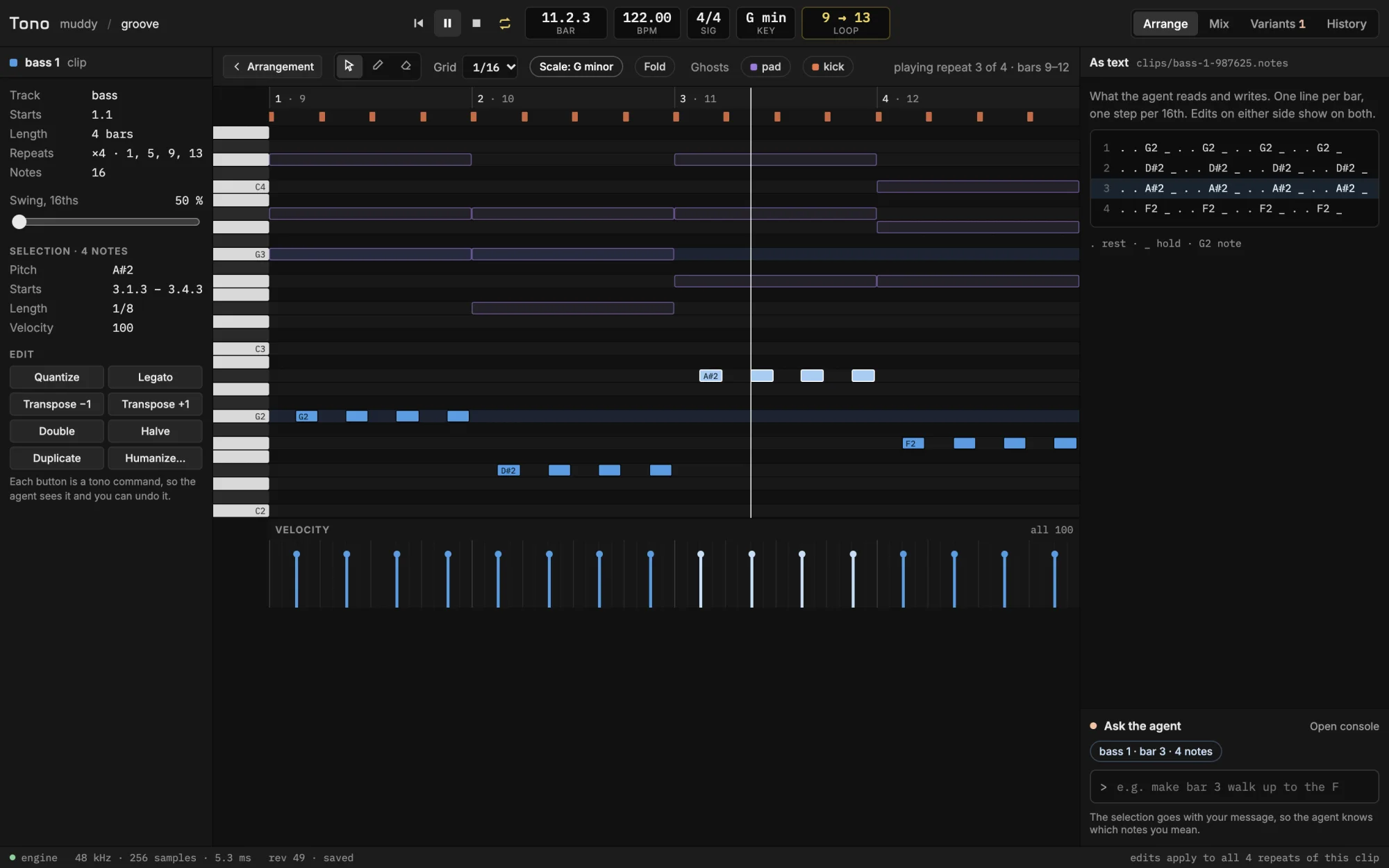
- Tracks, notes and every knob stay editable
- The plugins and presets you already own
- Any coding agent can drive it; Co-Tono runs yours in the app
- Every render measured, every edit undoable
Answers you can touch.
Co-Tono answers with live controls, not a list of commands. Turn a knob, drag the EQ, click a step: you hear it at once, and it's an edit you can undo.
Go on, turn one. Each change lands in the history as yours.
Your sample library, in key.
Point Tono at your packs and your Splice or Loopcloud downloads; Apple Loops are in already. It reads every file's tempo, key and role, and plays what fits right in your song.
It learns you.
Say what you like once. Your verdicts and preferences shape every song after, and the parts you love wait as favorites for the next one.
It knows production, not just prompts.
Before it writes a part or picks a sound, it reads what producers know, and turns your words into measured moves.
- 1You say
- 2Words → measurements
- 3Craft & genre rules
- 4Commands, then measure
Every rule starts claimed, gets measured on reference tracks, and becomes heard when your ears confirm it.
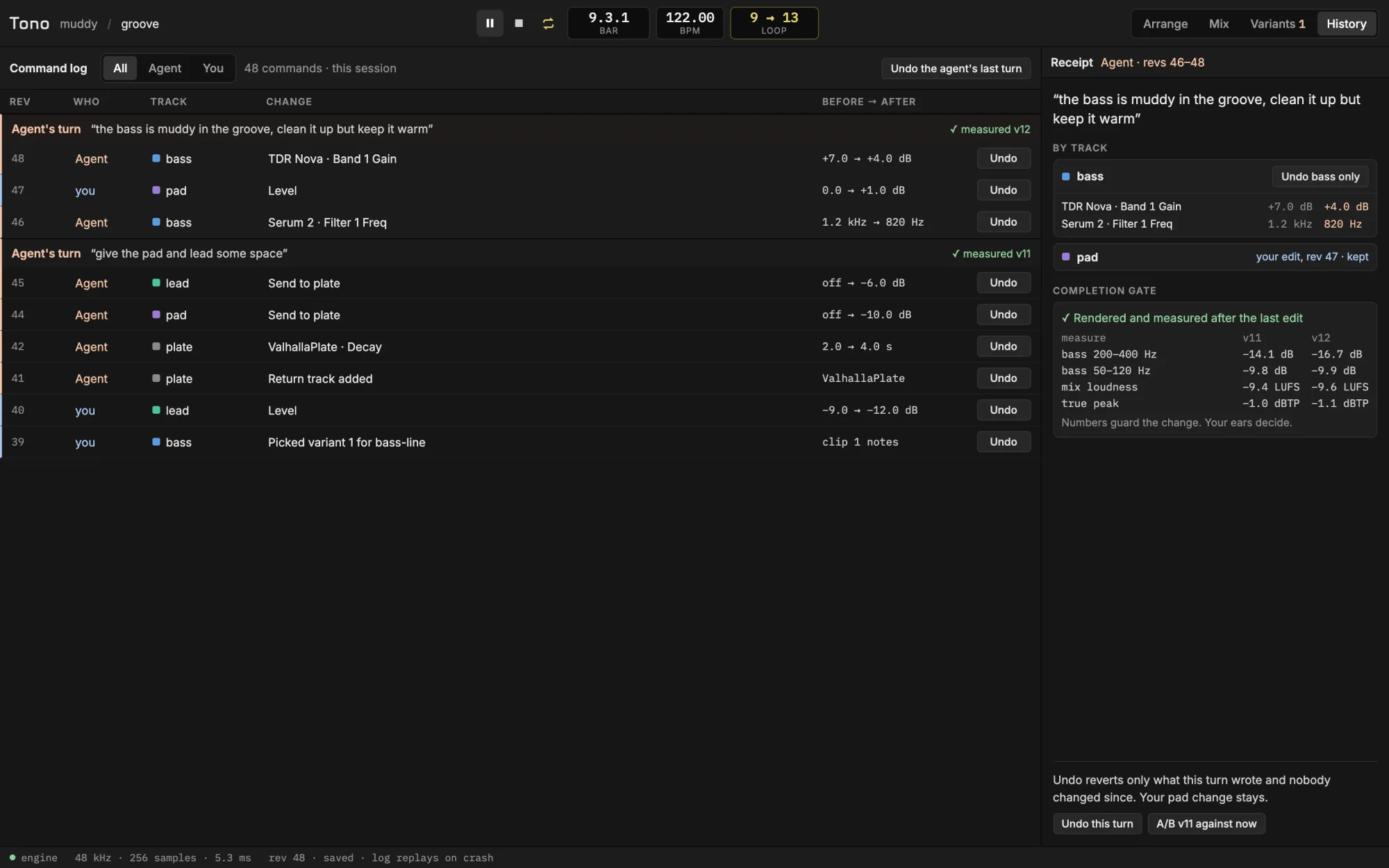
One history. Two authors.
One log for you and the agent: undo its turn, keep your edits.
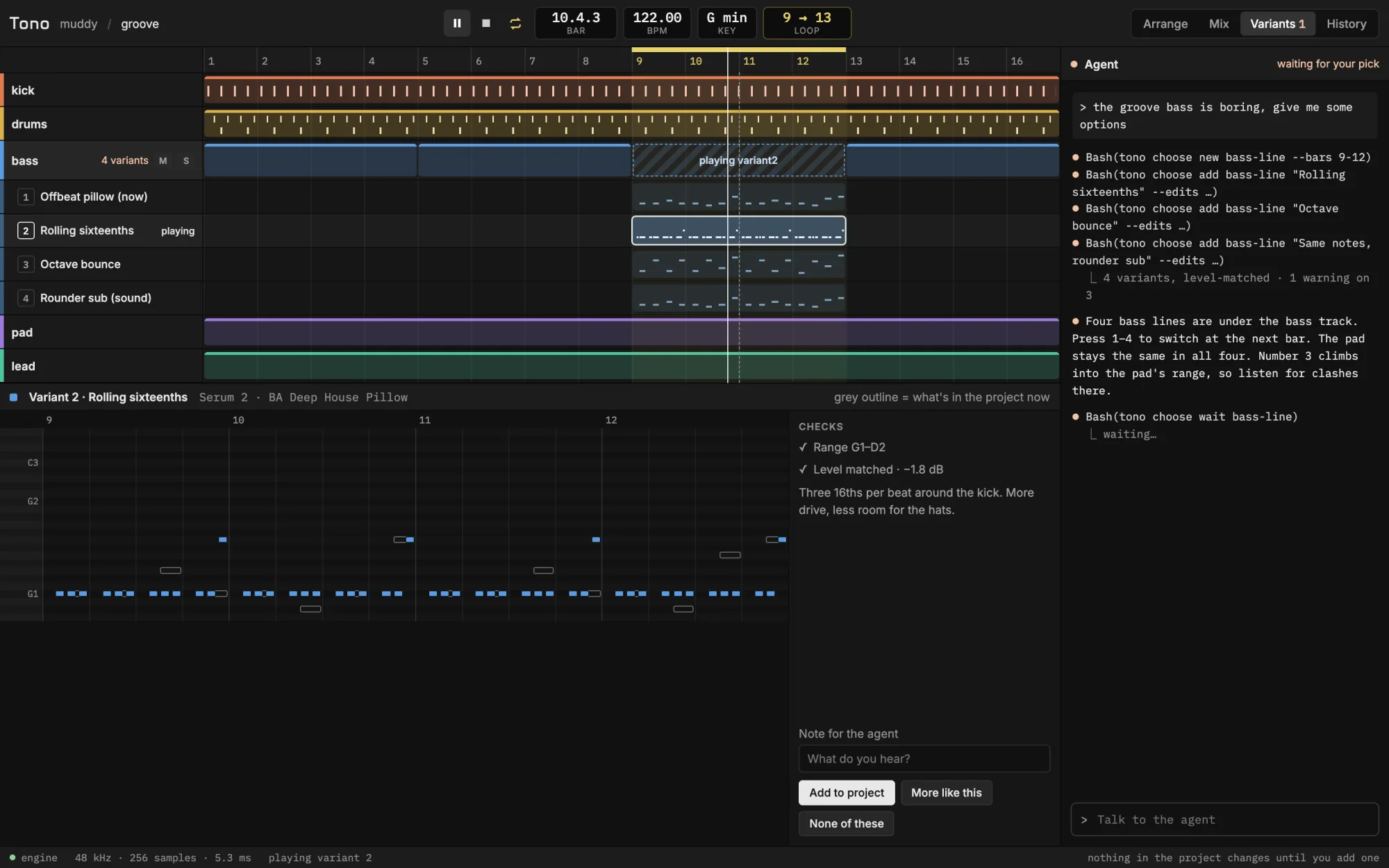
Options, side by side.
In design: hear takes side by side and keep the one you like.
Every turn measured, not guessed.
It can't hear, so it measures every render: your ears judge facts, not guesses.
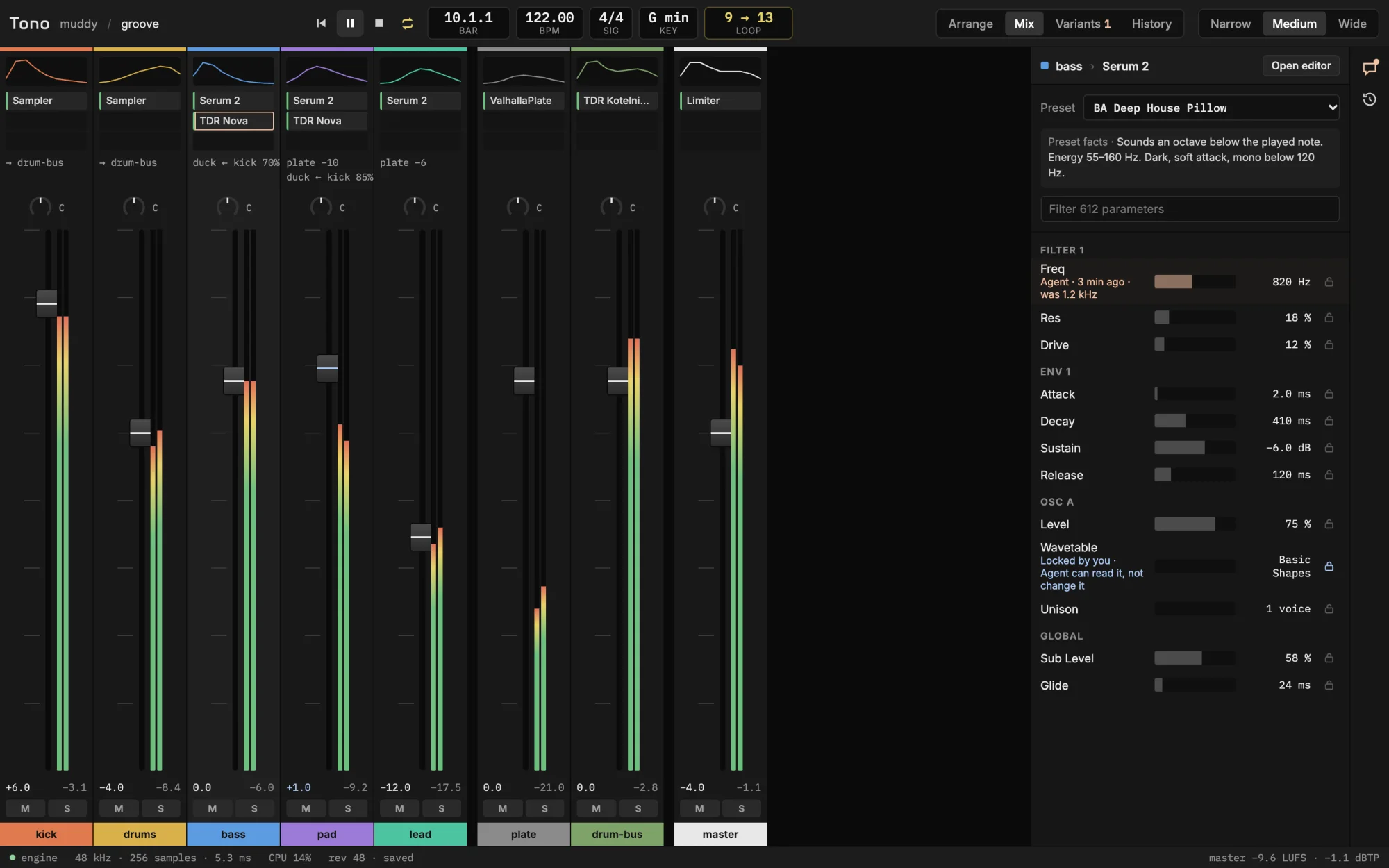
Your plugins. Every parameter.
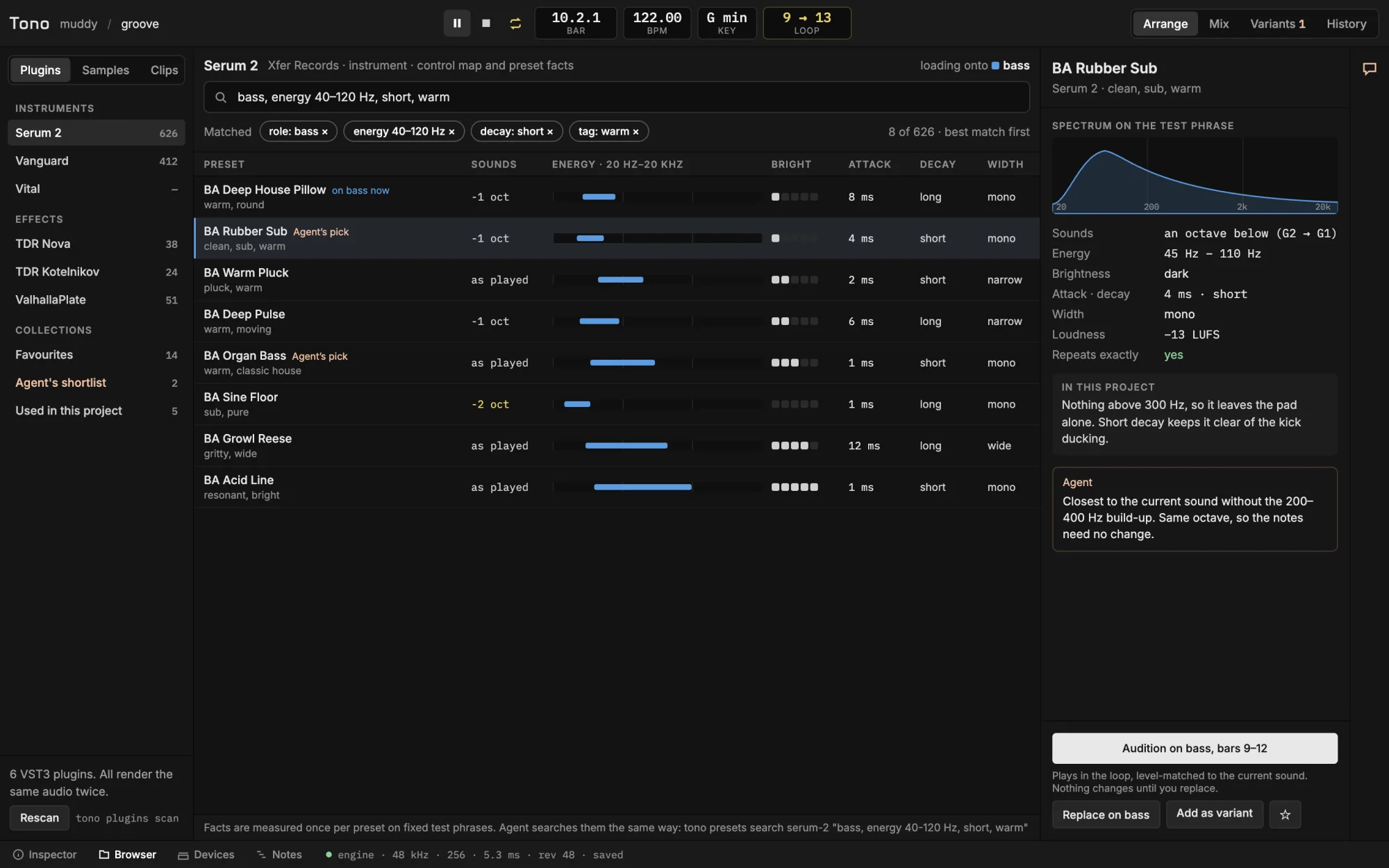
Your own plugins, every parameter, presets found by how they sound.
The whole studio.
Arrange, mixer, history, notes, samples and memory in one app.
Questions, answered.
What Tono is, and what it isn't.
What makes Tono different?
It's agentic first. Tono was built for an agent to drive from day one, and every knob, button and fader answers to the agent and to you alike. Behind every move is a knowledge layer of real production know-how, so the agent works like a producer, not a prompt. And it's a real DAW, not a toy: your own plugins, a full arrangement, mixing and mastering, and a finished track you can keep shaping.
Is Tono an AI song generator?
No. A generator hands you a finished file. Tono hands your agent a studio: real tracks, notes and plugin settings that you can open, change and undo, and that stay yours.
Which agent does it use?
Yours. Any coding agent can drive Tono, and in the app Co-Tono puts your own agent right beside the arrangement.
Can it use my samples?
Yes. Your packs, your Splice or Loopcloud downloads, Apple Loops: Tono knows every file's tempo, key and role, finds what fits your song, and plays it in time and in key.
Does it learn what I like?
Yes. Tell it once (“never reverb on the bass”, “love that pad”) and it carries your taste into every song after. Keep a part you love as a favorite and bring it into the next one.
Which genres does it know?
Electronic music, from house to trance and psytrance, with the production craft every genre shares: kick and bass, sound choice, mixing, leads, pads and transitions.
Can the agent wreck my project?
No. Every change, yours or the agent's, is kept in one history. Undo the agent's last turn and everything you did stays.
How does it know what sounds good?
It doesn't hear, so it measures. Tono brings real production knowledge to every choice, checks every render, and leaves the verdict to your ears.
What sounds does it use?
The instruments and effects already on your Mac, their presets, found by how they sound, and your own samples.
Does it work with other tools?
Yes. Connect services like ElevenLabs to bring voices and spoken lines straight into the song.
When can I use it?
Tono is coming to macOS. Leave your email below and we'll tell you when it's ready.
Coming to macOS
One email when Tono is ready. Nothing else.
© 2026 Tono · tonodaw.com